使用cloudflare加速github图床教程

通过cloudflare进行代理,使你的图床更可靠.

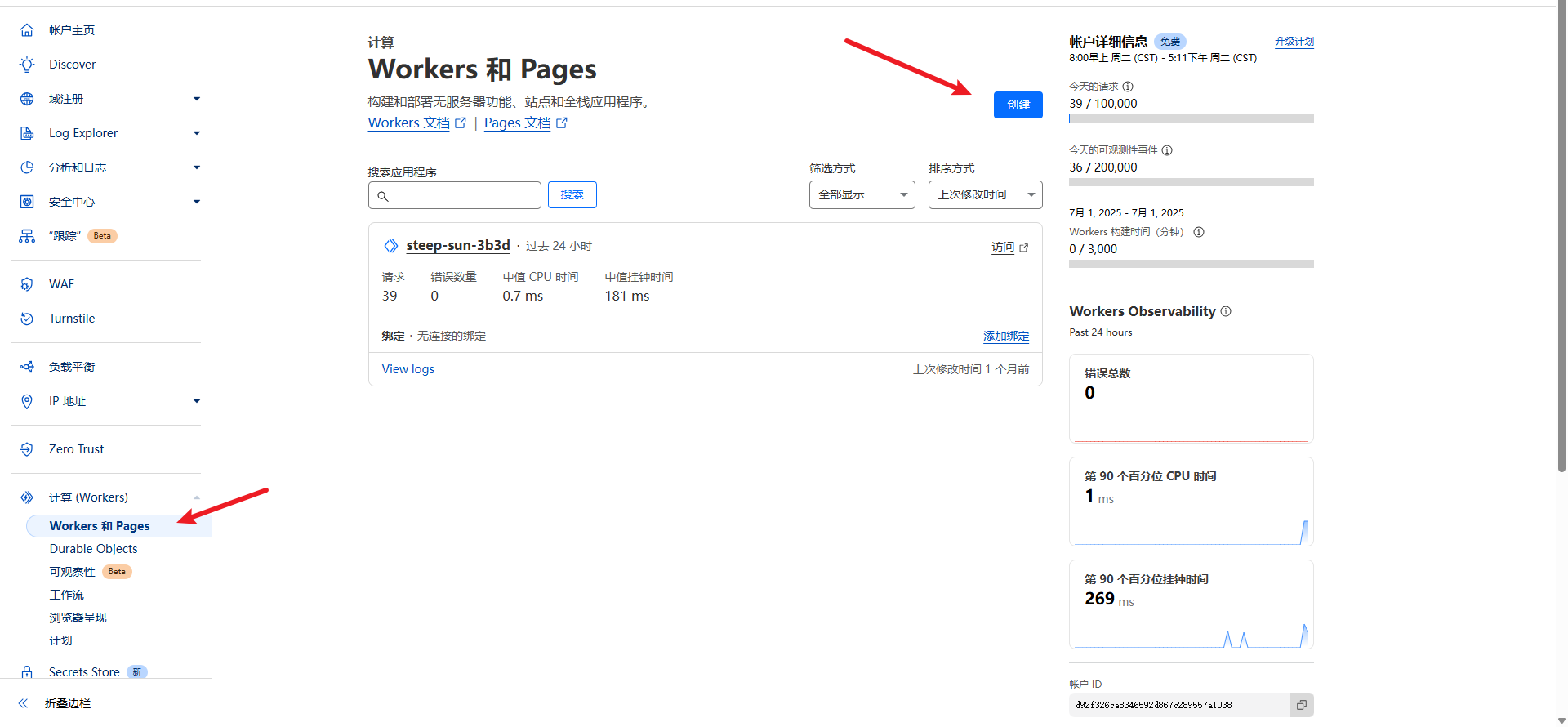
关于cloudflare创建works

https://img.icctv.top/file/25/7/image_69bfd131eff3be2c7a39744314768295.png

修改worker.js文件,添加下面代码,替换你的Git仓库.

1
2
3
4
5
6
7
8
9
10
11
12
13
14
15
16
17
18
19
20
21
22
23
24
25
26
27
28
29
30
31
32
33
34
35
36
37
38
39
40
41
42
43
44
45
46
47
/**
* Welcome to Cloudflare Workers! This is your first worker.
*
* - Run "npm run dev" in your terminal to start a development server
* - Open a browser tab at http://localhost:8787/ to see your worker in action
* - Run "npm run deploy" to publish your worker
*
* Learn more at https://developers.cloudflare.com/workers/
*/

addEventListener('fetch', event => {
event.respondWith(handleRequest(event.request))
})

async function handleRequest(request) {
const url = new URL(request.url)

// 1. 替换为你的 GitHub 仓库信息
const GITHUB_USER = '用户名'
const GITHUB_REPO = '仓库名称'
const GITHUB_BRANCH = 'main' // 默认分支

// 2. 构建 GitHub 原始文件 URL
const ghUrl = `https://raw.githubusercontent.com/${GITHUB_USER}/${GITHUB_REPO}/${GITHUB_BRANCH}${url.pathname}`

try {
// 3. 请求 GitHub 资源
const response = await fetch(ghUrl)

// 4. 如果 GitHub 返回 404,则返回错误
if (response.status === 404) {
return new Response('Not Found', { status: 404 })
}

// 5. 成功则返回资源,并设置缓存
return new Response(response.body, {
headers: {
'Content-Type': response.headers.get('Content-Type'),
'Cache-Control': 'public, max-age=14400' // 4小时缓存
}
})
} catch (err) {
// 6. 错误处理
return new Response('Internal Error', { status: 500 })
}
}

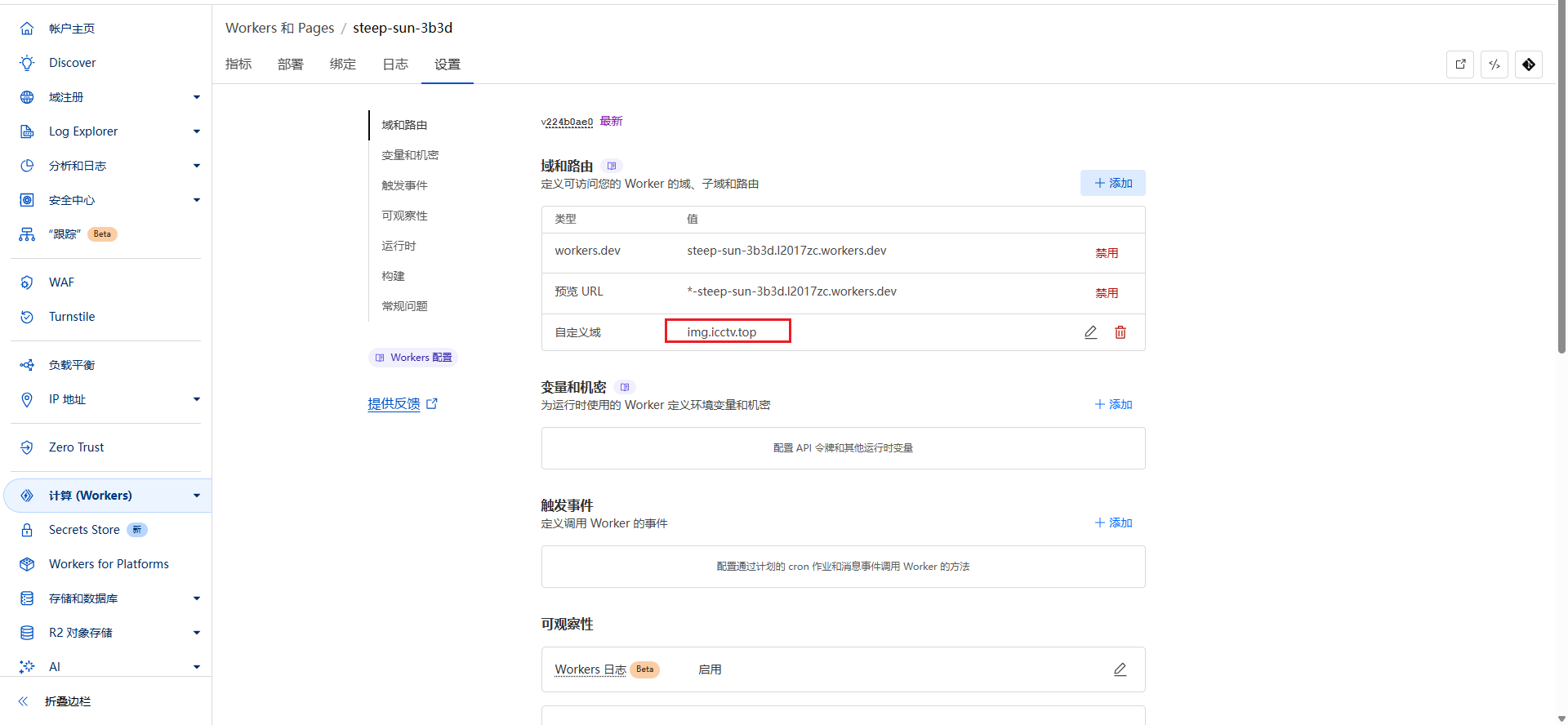
为了方便使用,可以添加自定义域名

https://img.icctv.top/file/25/7/image_7bfdd33509ae72b831a78c6bc202e098.png

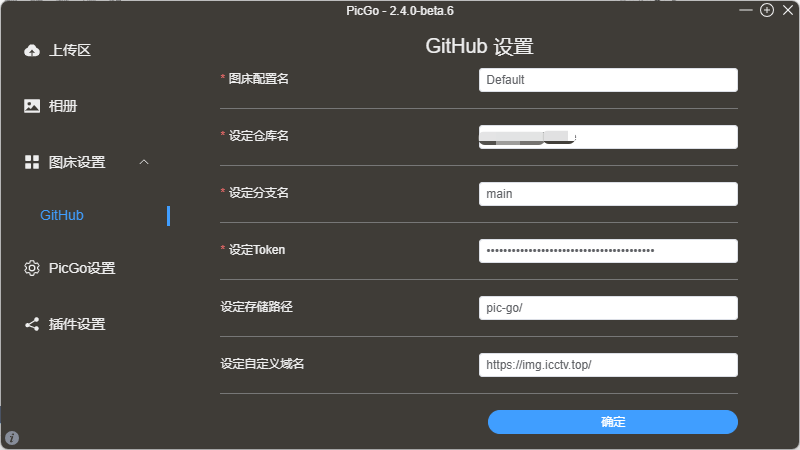
配置pic-go图床

https://img.icctv.top/file/25/7/image_4ffe19a5dfb5fa068bc5454d3c190b0c.png


本站所有内容(除特别声明外)均为原创,禁止转载。