场景:邮件审批用户注册信息
需求描述
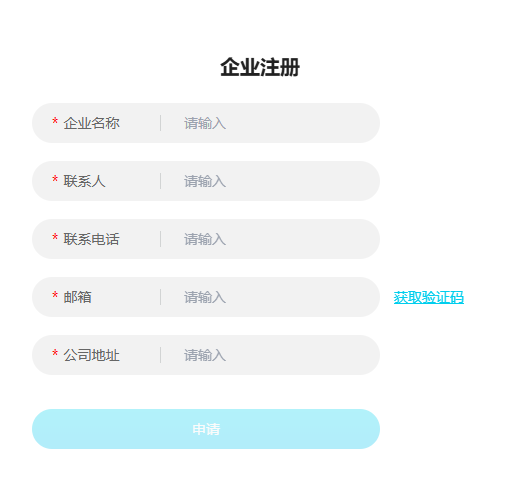
有一个系统需要开放给用户使用,但又不想公开,我想知道谁在使用这个系统,让用户提交自己的申请信息,我同意了你才能用。
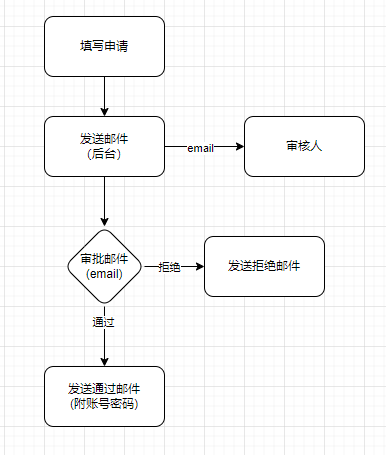
流程图
接口设计
根据流程,需要设计以下接口:
- 获取邮箱验证码 –用于校验邮箱真实性
- 提交注册信息 –保存注册申请记录,并作为账号密码生成依据
- 邮箱注册审核 –审核人审核注册申请
数据库表结构
1
2
3
4
5
6
7
8
9
10
11
12
13
14
15
16
|
CREATE TABLE `company_register_log` (
  `id` bigint NOT NULL AUTO_INCREMENT,
  `name` varchar(100) CHARACTER SET utf8mb4 COLLATE utf8mb4_general_ci NOT NULL COMMENT '企业名称',
  `email` varchar(100) CHARACTER SET utf8mb4 COLLATE utf8mb4_general_ci NOT NULL COMMENT '邮箱',
  `address` varchar(100) CHARACTER SET utf8mb4 COLLATE utf8mb4_general_ci DEFAULT NULL COMMENT '地址',
  `linkman` varchar(100) CHARACTER SET utf8mb4 COLLATE utf8mb4_general_ci DEFAULT NULL COMMENT '联系人',
  `link_phone` varchar(100) CHARACTER SET utf8mb4 COLLATE utf8mb4_general_ci DEFAULT NULL COMMENT '联系电话',
  `hex_md5` varchar(100) CHARACTER SET utf8mb4 COLLATE utf8mb4_general_ci DEFAULT NULL COMMENT '加密值,用于更新状态',
  `salt_value` varchar(100) CHARACTER SET utf8mb4 COLLATE utf8mb4_general_ci DEFAULT NULL COMMENT '盐',
  `status` tinyint DEFAULT '0' COMMENT '状态 0:待审核 1:通过 2:已创建',
  `company_id` bigint DEFAULT NULL COMMENT '真实企业ID',
  `create_time` datetime DEFAULT CURRENT_TIMESTAMP COMMENT '创建时间',
  `update_time` datetime DEFAULT CURRENT_TIMESTAMP ON UPDATE CURRENT_TIMESTAMP COMMENT '更新时间',
  PRIMARY KEY (`id`)
) ENGINE=InnoDB DEFAULT CHARSET=utf8mb4 COLLATE=utf8mb4_general_ci COMMENT='企业注册记录'
|
详细设计
第一步:使用java-email发送邮件配置
1
2
3
4
5
6
7
8
9
10
11
12
13
14
15
16
17
18
19
20
21
22
23
24
25
26
27
28
|
spring.mail.minute.max=5
spring.mail.host=smtp.163.com
spring.mail.protocol=smtp
spring.mail.username=xxxxx@163.com
spring.mail.password=?????
spring.mail.default-encoding=utf-8
spring.mail.properties.mail.smtp.auth=true
spring.mail.properties.mail.smtp.starttls.enable=true
spring.mail.properties.mail.smtp.starttls.required=true
spring.mail.properties.mail.smtp.timeout=10000
spring.mail.properties.mail.smtp.connectiontimeout=10000
spring.mail.properties.mail.smtp.writetimeout=10000
spring.mail.properties.mail.port=465
spring.mail.properties.mail.smtp.socketFactory.port=465
spring.mail.properties.mail.smtp.socketFactory.class=javax.net.ssl.SSLSocketFactory
spring.mail.properties.mail.smtp.socketFactory.fallback=false
spring.mail.enable=true # 是否开启注册功能
spring.mail.examiner=845363@126.com #审核人邮箱
spring.mail.cc= #抄送给谁
spring.mail.bcc=845364@126.com #密送给谁,多个用逗号分隔
spring.mail.url=http://www.xxx.com #平台api接口url配置
|
第二步:发送邮件代码
1
2
3
4
5
6
7
8
9
10
11
12
13
14
15
16
17
18
19
20
21
22
23
24
25
26
27
28
29
30
31
32
33
34
35
36
| @Resource
private JavaMailSender mailSender;
public void send(String[] toEmail, String text, String subject, String[] cc, String[] bcc) throws MessagingException {
if (Boolean.FALSE.equals(enable)) {
return;
}
MimeMessage mimeMessage = mailSender.createMimeMessage();
MimeMessageHelper helper = new MimeMessageHelper(mimeMessage, true);
String name = String.format("xxx系统<%s>", emailFrom);
helper.setFrom(name);
helper.setTo(toEmail);
helper.setText(text, true);
helper.setSentDate(new Date());
helper.setSubject(subject);
if (cc != null) {
helper.setCc(cc);
}
if (bcc != null) {
helper.setBcc(bcc);
}
ClassPathResource resource = new ClassPathResource("template/email/logo.png");
helper.addInline("logo", resource);
mailSender.send(helper.getMimeMessage());
}
|
详细过程
- 用户创建申请前,根据邮箱获取邮箱验证码,后台存入Redis,有效期15分钟。
- 用户提交申请,后台保存本次申请记录,并发送审核邮件给审核人。
- 审核人阅读邮件,并在邮箱中点击通过/拒绝按钮,按钮使用a标签实现。
- 平台接收到审核请求,校验参数ID和md5是否正确,校验该申请记录是否有效。
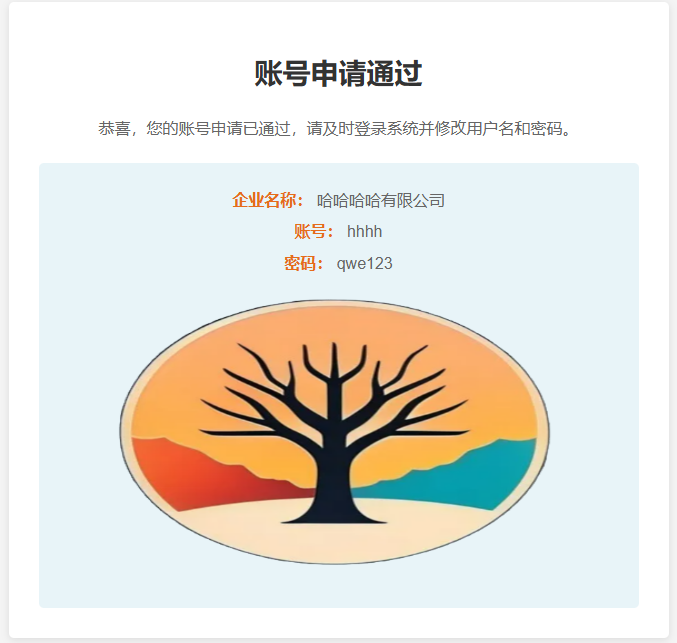
- 如果审核通过,则创建账号和密码,发送邮件给申请人。
- 如果审核失败,则发送申请失败邮件给申请人。
审批页面
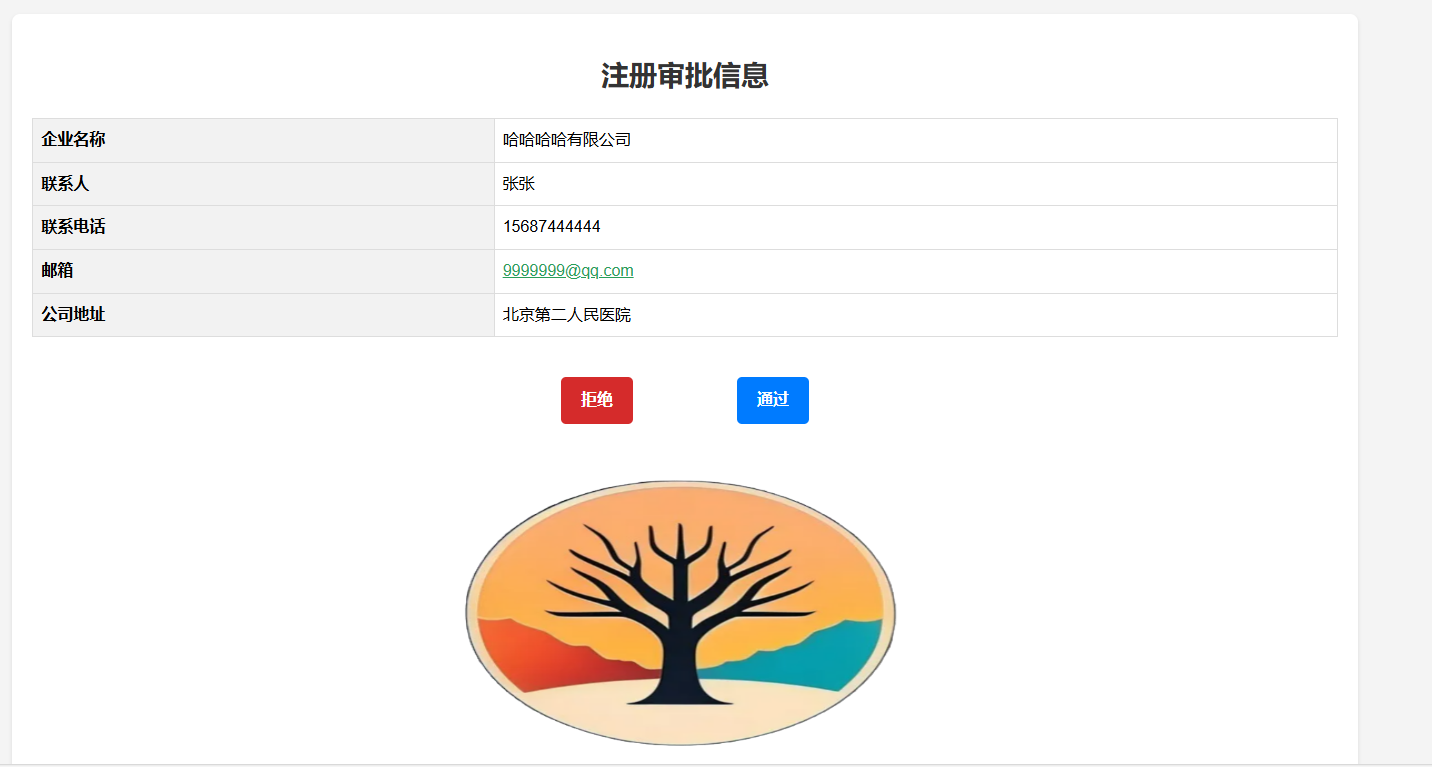
审批通过页面